

AI Tools: 25 Best Free Apps That Save Hours in 2026
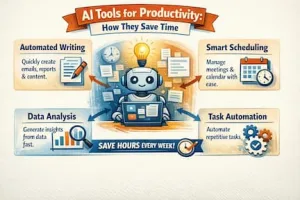
Artificial intelligence is no longer a futuristic concept—it’s becoming an everyday productivity partner. In 2026, AI tools will help millions of people write faster, create professional designs, edit videos, analyze data, build websites, answer emails, and automate repetitive tasks in minutes instead of hours.
Whether you’re a student trying to finish assignments, a freelancer juggling multiple clients, a content creator producing videos, a software developer writing code, or a business owner looking to reduce costs, there’s an AI tool that can significantly improve your workflow.
The best part? Many of the most powerful AI tools offer generous free plans, making advanced technology accessible to almost anyone.
In this guide, we’ve carefully selected 25 of the best AI tools in 2026 based on ease of use, features, free plan availability, popularity, and the amount of time they can realistically save. Rather than simply listing tools, we’ll explain what each one does, who it’s best for, and why it’s worth trying.
Quick Comparison Table
| AI Tool | Best For | Free Plan | Time Saved |
|---|---|---|---|
| ChatGPT | Writing, brainstorming & coding | ✅ | 5–10 hrs/week |
| Claude | Long-form writing & analysis | ✅ | 5–8 hrs/week |
| Gemini | Google Workspace productivity | ✅ | 4–8 hrs/week |
| Perplexity AI | Research & fact-checking | ✅ | 4–7 hrs/week |
| Microsoft Copilot | Microsoft 365 tasks | ✅ | 3–6 hrs/week |
| Canva AI | Graphic design | ✅ | 4–8 hrs/week |
| Gamma | AI presentations | ✅ | 2–5 hrs/week |
| Notion AI | Notes & productivity | Limited | 3–6 hrs/week |
| Grammarly | Writing assistance | ✅ | 2–5 hrs/week |
1. ChatGPT – The Best All-in-One AI Assistant
If you only use one AI tool in 2026, ChatGPT deserves serious consideration. It has evolved far beyond a chatbot and now acts as a writing assistant, coding helper, research companion, brainstorming partner, language tutor, and productivity coach.
You can use ChatGPT to draft emails, write blog posts, summarize lengthy documents, generate business ideas, create social media content, explain complex topics, solve programming problems, and even help plan projects.
Best For
- Writers
- Students
- Business owners
- Developers
- Digital marketers
- Researchers
What It Replaces
Instead of spending hours researching, drafting, and editing content manually, ChatGPT can produce a high-quality first draft within minutes, allowing you to focus on refining and adding your personal expertise.
Pros
- Extremely versatile
- Supports text, images, and coding
- Fast responses
- Great free version
- Regularly updated with new capabilities
Cons
- Advanced features require a paid subscription.
- AI-generated content should always be reviewed for accuracy and originality.
Time Saved: Up to 10 hours per week

2. Claude – Best AI Tools for Long Documents
Claude has become a favorite among professionals who regularly work with long reports, contracts, research papers, and technical documents.
Unlike many AI assistants that struggle with lengthy content, Claude is known for maintaining context over large amounts of text while producing natural, well-structured responses.
It’s particularly useful for editing articles, summarizing books, reviewing policies, and improving business documents.
Best For
- Researchers
- Bloggers
- Lawyers
- Students
- Editors
What It Replaces
Reading hundreds of pages manually before creating summaries or reports.
Pros
- Excellent writing quality
- Handles large documents exceptionally well
- Clear and conversational responses
- Strong analytical capabilities
Cons
- Some premium features require payment.
- Availability can vary by region.
Time Saved: Around 6 hours per week
3. Gemini – Best AI Tools for Google Users
If you already rely on Gmail, Google Docs, Sheets, Drive, or Workspace, Gemini fits naturally into your daily workflow.
Gemini can summarize email threads, draft professional replies, generate spreadsheet formulas, organize documents, assist with presentations, and answer questions using information from your Google Workspace.
For businesses already invested in Google’s ecosystem, this integration can dramatically reduce repetitive office work.
Best For
- Office workers
- Students
- Small businesses
- Google Workspace users
What It Replaces
Manual email writing, document drafting, spreadsheet troubleshooting, and repetitive administrative work.
Pros
- Excellent Google integration
- Helpful for office productivity
- Strong reasoning abilities
- Easy to use
Cons
- Some advanced Workspace features require a paid plan.
Time Saved: Up to 8 hours weekly
4. Perplexity AI – Best AI Search Engine
Traditional search engines often require you to visit multiple websites before finding the information you need. Perplexity AI speeds up the process by providing direct answers with source citations.
It’s ideal for researching news, academic topics, travel planning, market analysis, and comparing products without having to jump between dozens of browser tabs.
Best For
- Researchers
- Journalists
- Students
- Professionals
What It Replaces
Hours spent comparing search results across multiple websites.
Pros
- Fast research
- Cites sources
- Great for fact-checking
- Easy-to-understand answers
Cons
- Always verify important information using the sources.
- Some advanced research features are paid.
Time Saved: Around 5 hours every week
5. Microsoft Copilot – Best for Microsoft Office Users
For people who spend their day inside Word, Excel, Outlook, PowerPoint, and Teams, Microsoft Copilot has become a powerful productivity assistant.
It can summarize meetings, draft reports, generate Excel formulas, analyze spreadsheets, create presentations, and organize email inboxes.
Businesses using Microsoft 365 can automate many repetitive office tasks without needing advanced technical skills.
Best For
- Corporate employees
- Managers
- Financial analysts
- Office administrators
What It Replaces
Routine document preparation, spreadsheet analysis, and meeting note creation.
Pros
- Deep Microsoft integration
- Excellent for business productivity
- Saves time on repetitive office work
Cons
- Full functionality depends on your Microsoft 365 subscription.
Time Saved: Up to 6 hours per week
6. Canva AI – Best AI Tools for Graphic Design
Professional-looking graphics no longer require years of design experience. Canva’s AI-powered features help users create presentations, posters, social media graphics, marketing materials, logos, and videos in minutes.
Magic Design, Magic Write, background removal, AI image generation, and automatic resizing make Canva one of the most practical AI tools for creators and small businesses.
Best For
- Content creators
- Bloggers
- Small businesses
- Social media managers
- Teachers
What It Replaces
Hiring a designer for simple graphics or spending hours learning complex design software.
Pros
- Beginner-friendly
- Thousands of templates
- Excellent AI features
- Great free plan
Cons
- Premium templates require Canva Pro.
Time Saved: Around 5 hours weekly

7. Gamma – Best AI Presentation Maker
Creating presentations from scratch can easily consume an entire afternoon. Gamma uses AI to transform a simple prompt into a polished presentation complete with layouts, images, formatting, and speaker-friendly organization.
Whether you’re preparing a business pitch, classroom lesson, or client proposal, Gamma dramatically speeds up the process.
Best For
- Teachers
- Students
- Consultants
- Business professionals
What It Replaces
Hours spent designing PowerPoint or Google Slides presentations manually.
Pros
- Beautiful presentation layouts
- Fast content generation
- Easy editing
- Modern designs
Cons
- Some export options are limited on the free plan.
Time Saved: Up to 4 hours per presentation
8. Notion AI – Best AI Workspace for Productivity
Notion has become more than a note-taking app. With AI built directly into the platform, users can summarize meeting notes, generate task lists, brainstorm ideas, rewrite documents, and organize projects more efficiently.
It’s particularly valuable for freelancers, startups, and remote teams managing multiple projects.
Best For
- Project managers
- Entrepreneurs
- Students
- Remote teams
What It Replaces
Manual note organization, meeting summaries, and repetitive documentation.
Pros
- Excellent project management features
- AI integrated into notes
- Great collaboration tools
Cons
- AI usage is limited on some plans.
Time Saved: Around 4 hours each week
9. Grammarly – Best AI Writing Assistant
Grammarly has evolved into much more than a grammar checker. Its AI features now help users rewrite sentences, adjust tone, improve clarity, generate content ideas, and create polished emails and reports.
Whether you’re writing blog posts, job applications, academic papers, or business proposals, Grammarly helps produce more professional writing while reducing editing time.
Best For
- Students
- Bloggers
- Professionals
- Job seekers
- Business owners
What It Replaces
Manual proofreading and repeated revisions.
Pros
- Easy to use
- Excellent grammar suggestions
- Tone detection
- Helpful AI rewriting tools
Cons
- Advanced AI writing features are included in premium plans.
Time Saved: Up to 5 hours per week
10. Cursor – Best AI Coding Editor
Writing code from scratch can be time-consuming, especially when debugging or working on large projects. Cursor is an AI-powered code editor designed to help developers write, edit, debug, and understand code much faster.
Unlike traditional code editors, Cursor understands your entire codebase and can explain functions, suggest improvements, generate new code, and even fix errors with simple prompts.
Best For
- Software developers
- Web developers
- Programming students
- Startups
What It Replaces
Hours spent searching documentation, fixing bugs manually, and writing repetitive code.
Pros
- Understands large codebases
- Excellent debugging assistance
- Supports multiple programming languages
- Speeds up software development
Cons
- Advanced features require a paid subscription.
- Beginners should still learn programming fundamentals instead of relying entirely on AI.
Time Saved: Up to 12 hours per week

11. GitHub Copilot – Your AI Pair Programmer
GitHub Copilot has become one of the most widely used AI coding assistants. It suggests entire functions, writes repetitive code, generates documentation, and helps developers learn unfamiliar programming languages.
Whether you’re building websites, mobile apps, or business software, Copilot can significantly reduce development time.
Best For
- Professional developers
- Software engineers
- Computer science students
- Technical teams
What It Replaces
Writing repetitive code, searching for syntax examples, and creating boilerplate functions.
Pros
- Works inside popular code editors
- Excellent code suggestions
- Supports dozens of languages
- Improves developer productivity
Cons
- AI-generated code should always be reviewed and tested.
- Some features require a subscription.
Time Saved: Around 10 hours every week
12. ElevenLabs – Best AI Voice Generator
Need a professional voice-over without hiring a voice actor? ElevenLabs can generate realistic, natural-sounding voices in multiple languages and accents.
It’s widely used for YouTube videos, podcasts, online courses, audiobooks, advertisements, and accessibility projects.
The platform also allows users to clone voices (with appropriate permission), making it easier to produce consistent audio content.
Best For
- YouTubers
- Podcast creators
- Educators
- Businesses
- Content creators
What It Replaces
Recording multiple takes, editing audio manually, or outsourcing simple voice-over work.
Pros
- Highly realistic voices
- Multiple language support
- Fast audio generation
- Beginner-friendly
Cons
- Free plans include usage limits.
- Voice cloning should always be used responsibly and with consent.
Time Saved: Up to 6 hours per project
13. Leonardo AI – Best Free AI Image Generator
Creating custom illustrations used to require advanced artistic skills or expensive software. Leonardo AI allows users to generate high-quality images from simple text prompts.
It’s especially popular among marketers, bloggers, game developers, advertisers, and social media creators looking for unique visuals.
Best For
- Bloggers
- Designers
- Game developers
- Marketing teams
- Small businesses
What It Replaces
Hours spent searching stock photo websites or creating digital artwork manually.
Pros
- Excellent image quality
- Generous free plan
- Multiple artistic styles
- Fast image generation
Cons
- Creating the perfect prompt may require experimentation.
- Some premium models require payment.
Time Saved: Around 5 hours per week
14. Midjourney – Best AI for Creative Artwork
If your goal is to produce cinematic, artistic, or highly detailed images, Midjourney remains one of the most impressive AI image generators available.
Designers use it to create concept art, book covers, product mockups, fantasy scenes, fashion ideas, and advertising visuals.
Although it has a learning curve, the image quality often rivals professional digital artwork.
Best For
- Artists
- Designers
- Creative agencies
- Publishers
What It Replaces
Sketching early concepts or commissioning multiple draft illustrations.
Pros
- Exceptional artistic quality
- Highly creative outputs
- Great for concept development
Cons
- Requires learning effective prompting.
- Subscription costs may not suit casual users.
Time Saved: Around 8 hours on creative projects
15. Runway – Best AI Tools for Video Editing
Video editing has traditionally been one of the most time-consuming creative tasks. Runway simplifies the process with AI-powered tools that can remove backgrounds, generate video clips, erase unwanted objects, create visual effects, and edit footage much faster.
Content creators can produce professional-looking videos without needing advanced editing skills.
Best For
- YouTubers
- Filmmakers
- Social media creators
- Marketing agencies
What It Replaces
Hours of manual video editing and visual effects work.
Pros
- Easy-to-use interface
- Powerful AI editing features
- Great for beginners and professionals
- Saves significant editing time
Cons
- High-resolution exports may require a paid plan.
Time Saved: Up to 8 hours per video
16. CapCut AI – Best AI Video Editor for Social Media
CapCut has become a favorite among TikTok, Instagram Reels, Facebook, and YouTube Shorts creators.
Its AI features include automatic captions, background removal, script generation, text-to-speech, translation, noise reduction, and automatic video enhancement.
These tools help creators publish polished videos much faster than traditional editing software.
Best For
- Influencers
- Small businesses
- Social media managers
- Short-form video creators
What It Replaces
Manual captioning, trimming, and repetitive editing tasks.
Pros
- Beginner-friendly
- Excellent free features
- Fast export
- Great mobile and desktop support
Cons
- Some premium templates require a subscription.
Time Saved: Around 5 hours every week
17. Otter.ai – Best AI Meeting Assistant
Taking meeting notes while trying to participate in the discussion can be challenging. Otter.ai automatically records conversations, creates searchable transcripts, identifies speakers, and generates concise meeting summaries.
It’s ideal for remote teams, journalists, consultants, and students attending lectures.
Best For
- Businesses
- Students
- Journalists
- Consultants
- Remote workers
What It Replaces
Manual note-taking and replaying long recordings.
Pros
- Accurate transcription
- Automatic summaries
- Speaker identification
- Easy collaboration
Cons
- Accuracy may vary with strong accents or noisy environments.
- Free plans have monthly usage limits.
Time Saved: Up to 4 hours each week
18. Zapier AI – Best AI Workflow Automation Tool
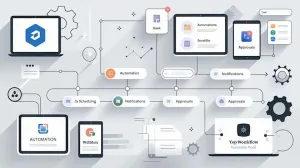
One of the biggest productivity killers is repetitive work—copying information between apps, sending routine emails, updating spreadsheets, and performing the same tasks every day.
Zapier AI helps automate these workflows without requiring programming knowledge.
For example, you can automatically save email attachments to cloud storage, send leads from a website to your CRM, create calendar events, notify your team in chat apps, or generate AI-powered email responses.
Best For
- Entrepreneurs
- Small businesses
- Marketing teams
- Sales professionals
- Freelancers
What It Replaces
Manual data entry and repetitive administrative tasks.
Pros
- Connects thousands of apps
- No coding required
- Powerful automation capabilities
- Saves time every day
Cons
- Complex workflows may require a paid plan.
- Initial setup can take a little time.
Time Saved: Up to 10 hours per week
Quick Tip: Choose AI Tools Based on Your Work
You don’t need all 25 AI tools to become more productive. Start with the ones that solve your biggest daily challenges.
- Writers and bloggers: ChatGPT, Claude, Grammarly, Perplexity AI.
- Students and researchers: Gemini, Claude, Perplexity AI, Otter.ai.
- Designers and marketers: Canva AI, Leonardo AI, Midjourney, Runway.
- Video creators: CapCut AI, Runway, ElevenLabs.
- Developers: Cursor and GitHub Copilot.
- Business owners: Microsoft Copilot, Notion AI, Zapier AI, ChatGPT.
Using just three or four well-chosen AI tools together can often save 10 to 20 hours every week, giving you more time to focus on creative work, strategy, or growing your business.
19. Fireflies.ai – Best AI Meeting Recorder
Missing important details during meetings can lead to misunderstandings and extra follow-up work. Fireflies.ai automatically records, transcribes, summarizes, and organizes meetings from popular video conferencing platforms.
You can search for conversations by keyword, create action items, and share meeting summaries with your team.
Best For
- Remote teams
- Sales professionals
- Recruiters
- Project managers
What It Replaces
Manual meeting notes and post-meeting summaries.
Pros
- Accurate transcriptions
- Searchable meeting archive
- Automatic action items
- Easy collaboration
Cons
- Free plans have storage and transcription limits.
Time Saved: Up to 5 hours per week
20. Synthesia – Best AI Video Avatar Creator
Creating training videos or business presentations usually requires cameras, lighting, microphones, and editing software. Synthesia allows you to generate professional presenter-style videos using AI avatars and natural-sounding voices.
Simply type your script, choose an avatar, and the platform creates the video.
Best For
- Businesses
- HR departments
- Online educators
- Corporate trainers
What It Replaces
Hiring presenters or recording simple instructional videos.
Pros
- Professional-looking AI presenters
- Supports multiple languages
- Fast video creation
Cons
- Advanced avatars and features require a paid plan.
Time Saved: Around 6 hours per project
21. Tome – Best AI Storytelling and Pitch Deck Tool
Tome helps users turn ideas into visually appealing presentations, reports, proposals, and sales pitches with minimal effort.
Instead of designing every slide manually, you provide a prompt, and Tome generates structured content with attractive layouts.
Best For
- Entrepreneurs
- Sales teams
- Consultants
- Startups
What It Replaces
Hours spent formatting presentations and business proposals.
Pros
- Beautiful layouts
- Fast presentation creation
- Easy collaboration
Cons
- Advanced customization options are available on paid plans.
Time Saved: Around 4 hours per presentation
22. DeepL – Best AI Tools for Translation
DeepL has earned a strong reputation for producing natural, context-aware translations across multiple languages. It often captures tone and meaning more effectively than literal word-for-word translation tools.
Beyond translating text, it can also improve writing style and rewrite sentences for greater clarity.
Best For
- International businesses
- Students
- Travelers
- Content creators
What It Replaces
Manual translation and basic machine translation tools.
Pros
- Excellent translation quality
- Natural writing style
- Easy to use
Cons
- Some languages and advanced features require a premium subscription.
Time Saved: Up to 3 hours per week
23. Descript – Best AI Audio and Podcast Editor
Descript makes editing audio and video as simple as editing a text document. You can remove filler words, generate transcripts, improve audio quality, and even make small corrections using AI voice editing features.
It’s particularly popular among podcasters, educators, and video creators.
Best For
- Podcasters
- YouTubers
- Online educators
- Marketing teams
What It Replaces
Traditional timeline-based audio editing.
Pros
- Beginner-friendly
- Automatic transcription
- Powerful AI editing tools
- Saves hours of production time
Cons
- Some premium AI features require a subscription.
Time Saved: Around 6 hours per project
24. Replit AI – Best AI Tools for Learning Programming
Whether you’re learning to code or building software, Replit AI provides coding assistance directly in your browser. It explains code, suggests improvements, generates functions, and helps fix errors.
Because everything runs online, there’s no complicated software installation.
Best For
- Beginner programmers
- Students
- Developers
- Coding instructors
What It Replaces
Switching constantly between tutorials, documentation, and coding environments.
Pros
- Browser-based
- Great learning tool
- Supports many programming languages
Cons
- Larger projects may benefit from desktop development tools.
Time Saved: Around 5 hours weekly
25. Adobe Firefly – Best AI Tools for Creative Professionals
Adobe Firefly brings generative AI directly into Adobe’s creative ecosystem. Users can generate images, expand backgrounds, create text effects, recolor artwork, and speed up creative workflows.
It’s especially valuable for designers who already use Photoshop, Illustrator, or other Adobe applications.
Best For
- Graphic designers
- Marketing agencies
- Creative professionals
- Brand teams
What It Replaces
Time-consuming design edits and repetitive creative tasks.
Pros
- Excellent image quality
- Seamless Adobe integration
- Commercial-friendly features
- Powerful creative tools
Cons
- Full functionality requires Adobe subscriptions.
Time Saved: Up to 7 hours per week
How to Choose the Right AI Tools for Your Needs
With so many options available, it’s easy to feel overwhelmed. The best approach is to choose tools based on the tasks you perform most often.
- For writing and research: ChatGPT, Claude, Perplexity AI, Grammarly.
- For office productivity: Microsoft Copilot, Gemini, Notion AI.
- For graphic design: Canva AI, Leonardo AI, Adobe Firefly.
- For video creation: Runway, CapCut AI, Synthesia, Descript.
- For coding: Cursor, GitHub Copilot, Replit AI.
- For automation: Zapier AI.
- For meetings: Otter.ai and Fireflies.ai.
Start with one or two tools, learn them well, and gradually expand your AI toolkit as your needs grow.
Frequently Asked Questions About AI Tools
What is the best free AI tool in 2026?
There isn’t a single “best” tool for everyone. ChatGPT is one of the most versatile options, while Perplexity AI is excellent for research, Canva AI is ideal for design, and Grammarly is a great choice for improving writing. The best tool depends on the type of work you do.
Which AI tool saves the most time?
For many professionals, automation tools like Zapier AI, coding assistants such as Cursor and GitHub Copilot, and writing assistants like ChatGPT can save between five and ten hours each week.
Are free AI tools good enough?
Yes. Many free AI plans include enough features for students, freelancers, and small businesses. However, paid plans often unlock higher usage limits, faster performance, and advanced capabilities.
Can AI replace human workers?
AI is better viewed as a productivity tool than a replacement for people. It excels at handling repetitive tasks, generating first drafts, and organizing information, but human creativity, critical thinking, judgment, and expertise remain essential for high-quality work.
Is it safe to use AI tools?
Most reputable AI platforms invest heavily in security, but users should avoid sharing confidential business information, sensitive personal data, passwords, or financial details unless they understand the platform’s privacy policies and security practices.

Final Thoughts on the Best AI Tools in 2026
Artificial intelligence is changing the way we work, learn, and create. Tasks that once took hours can now be completed in minutes, allowing professionals and businesses to focus on strategy, creativity, and problem-solving instead of repetitive work.
The good news is that you don’t need to spend hundreds of dollars to benefit from AI. Many of the tools in this guide offer free plans that are powerful enough for everyday use.
If you’re just getting started, begin with ChatGPT, Perplexity AI, Canva AI, and Grammarly. Together, these four tools can dramatically improve writing, research, design, and communication while saving valuable time each week.
As AI continues to evolve, learning how to use these tools effectively will become an increasingly valuable skill. The sooner you start experimenting, the sooner you’ll discover smarter and faster ways to work.
Our Favorite AI Tools in 2026
If you’re new to AI, these are our top five recommendations:
🏆 Best Overall: ChatGPT
🔎 Best for Research: Perplexity AI
🎨 Best for Design: Canva AI
🎥 Best for Video Editing: Runway
💻 Best for Coding: Cursor

Leah Awuor is a seasoned writer with over six years of experience in the media industry. Her expertise includes coverage of media personalities, politicians, celebrities, and trending personalities. With her extensive knowledge and experience, Leah has become an expert in her field, providing accurate and insightful coverage that is both engaging and informative.